
A Google Ads AI agent should inspect account data, flag issues, and prepare decisions without making unrestricted campaign changes. We use a read-only visibility agent across $6 million per month in ad spend for three jobs: daily pacing, search-term triage, and report drafting. Human operators still approve every material action.
What a Google Ads AI agent should actually do
A Google Ads AI agent is useful when it reduces inspection time and makes account state easier to read. It should collect data, compare it with explicit targets, explain why something deserves attention, and route the finding to a responsible operator. It should not hide its logic or turn every anomaly into an automatic account change.
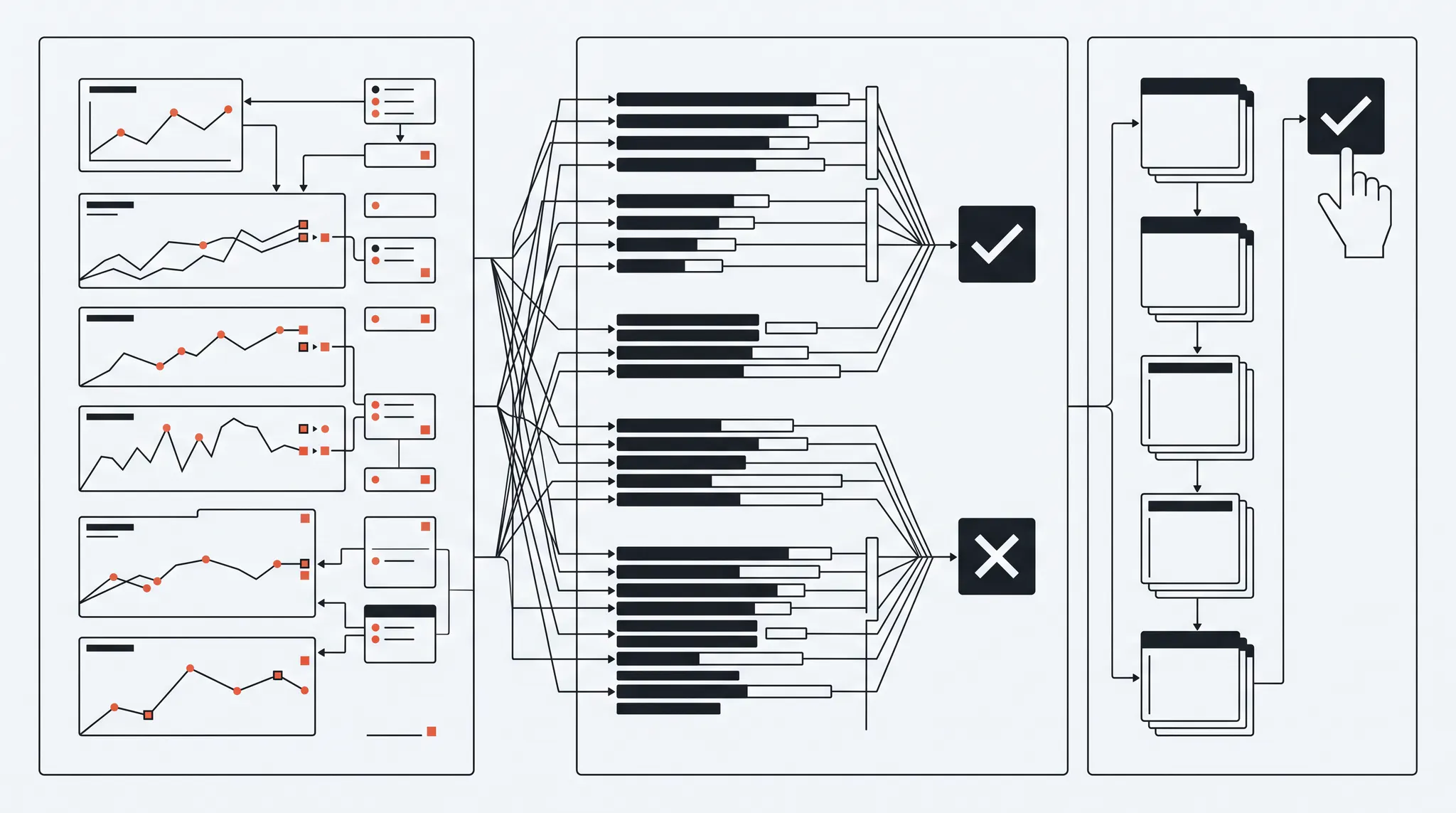
We call our visibility agent Merlin. It analyzes a portfolio running about $6 million per month in ad spend. Merlin does not change bids, add negative keywords, move budget, or publish ads. It prepares three recurring workflows that would otherwise consume operator time across many accounts.
| Workflow | Agent output | Operator responsibility |
|---|---|---|
| Daily pacing | Accounts outside spend, CPA, conversion, or ROAS expectations | Confirm context and decide whether action is needed |
| Search-term triage | Grouped review queue from 500 to 700 flagged terms per week | Approve, reject, and set match type and scope |
| Report drafting | First draft of a client performance summary | Check numbers, add judgment, edit, and send |
This is Google Ads automation with a clear boundary. The agent handles repetitive inspection. The growth manager owns strategy, risk, and communication.
Workflow 1: daily pacing and anomaly review
Daily pacing tells the team which accounts are moving away from target before a weekly report makes the problem obvious. The agent pulls spend, conversions, CPA, and ROAS every morning, compares them with the operating target, and flags unusual movement for review.
The key is context. A 20 percent CPA increase may be a real problem, normal conversion delay, a planned budget change, a seasonal shift, or one late high-value conversion. The agent should surface the movement and the supporting data, not declare the cause.
A useful pacing record includes:
- Current spend and expected spend for the date
- Qualified conversions, not only platform conversions
- CPA or ROAS versus target and recent baseline
- Conversion delay for the account
- Recent budget, bid, targeting, asset, or goal changes
- A confidence level and reason for the flag
Google explains that recent performance can look incomplete because of conversion lag. Any agent that judges today without accounting for delayed outcomes will create false alarms. For annual and monthly planning context, connect pacing to a full-funnel marketing forecast, not a fixed daily spend line by itself.
What can go wrong
The most common failure is alert overload. If the agent flags every normal fluctuation, operators stop reading the queue. Set thresholds by account, metric, and conversion cycle. A high-volume ecommerce account and a low-volume enterprise SaaS account should not share the same anomaly rule.
Workflow 2: search-term triage with human approval
Search-term triage is a strong AI use case because the raw work is repetitive but the final decision is risky. Our system reads the 500 to 700 terms already flagged each week, groups them by account and intent, and prepares one review queue for the growth manager.
The agent can organize terms by:
- Product and service relevance
- Buyer fit
- Acquisition, support, job-seeker, or customer intent
- Spend, clicks, conversions, and qualified conversions
- Triggering keyword and match type
- Recommended negative match type and scope
- Confidence and written reason
The operator then approves or rejects each proposed exclusion. That approval gate matters because one wrong broad negative can block profitable queries across an ad group, campaign, shared list, or account. Our AI-assisted negative keyword workflow covers the full scoring and review process.
Google’s search terms documentation says the report shows searches that triggered ads and can surface negative-keyword ideas. The report is the evidence source. The agent is the prioritization layer.
Worked review example
Assume the weekly queue contains 600 terms. The agent groups 420 as clear fits, 120 as clear wrong intent, and 60 as ambiguous. A human should not blindly approve the 120 or ignore the 420. The review order should be:
- High-spend wrong-intent terms
- Ambiguous terms with meaningful spend
- Relevant terms with poor downstream quality
- Clear fits that may deserve their own ad group
- Low-volume terms with little evidence
This structure saves attention without pretending the model has final authority.
Workflow 3: Google Ads report drafting
Report drafting is useful when the agent pulls verified metrics, compares them with the target, and writes a first-pass narrative. The growth manager should spend time on why performance changed and what to do next, not on copying numbers between interfaces.
A good draft contains:
- Performance versus target
- Material changes since the prior period
- Conversion and pipeline quality
- Tests completed and their results
- Open risks or data gaps
- Proposed next actions with owners
The report should cite its date range and source fields. It should also distinguish observed facts from interpretation. “CPA increased 14 percent” is a fact if the data is correct. “Competitor pressure caused the increase” is a hypothesis unless Auction Insights or another source supports it.
The operator edits the narrative, checks the client context, and sends the final report. An AI draft without human judgment often describes movement but misses business meaning.
Google Ads AI agent versus full automation
The choice is not manual work or unrestricted automation. A human-supervised agent gives operators faster visibility while preserving accountability for spend and strategy.
| Capability | Human-supervised agent | Unrestricted automation |
|---|---|---|
| Reads account data | Yes | Yes |
| Prioritizes review queues | Yes | Yes |
| Explains evidence | Required | Often optional |
| Changes budgets or bids | Requires approval | Can happen automatically |
| Adds negative keywords | Requires approval | Can happen automatically |
| Owns client communication | Human | Often unclear |
| Risk | Slower than full automation, easier to audit | Faster writes, larger failure radius |
Google Ads itself supports auto-applied recommendations across bidding, targeting, keywords, ads, and other areas. That makes change history and operator controls more important, not less. Review the Google Ads campaign settings that can change account behavior before adding another automation layer.
How to build a safe Google Ads AI agent
A safe implementation starts with a narrow job and a reliable data contract. Do not begin with “optimize the account.” Begin with one workflow whose inputs, outputs, owner, and failure mode are clear.
- Choose one read-only workflow. Start with pacing, search-term review, or report drafting.
- Define the source of truth. Name the Google Ads fields, CRM stages, targets, and reporting window.
- Set account-specific rules. Include conversion delay, spend scale, bid strategy, and qualified outcome.
- Require reasons. Every flag or recommendation should show the evidence behind it.
- Add an approval queue. Material actions wait for a named operator.
- Log every output. Keep the input period, proposed action, reviewer, and decision.
- Test false positives. Run the agent against known accounts before trusting its queue.
- Measure time saved and decision quality. Faster output is not useful if operators must recheck every number.
If the account’s conversion data is incomplete, fix the measurement layer first. A faster system built on weak data produces weak decisions sooner. The 50-point Google Ads audit checklist is a practical baseline for the data and account controls an agent must understand. For campaign creation, use a phased Google Ads campaign structure with AI workflow that stops for operator review before keywords, ads, or uploads move forward. Any recommendation about campaign consolidation or conversion minimums should also be checked against how Google Ads Smart Bidding uses query-level data across campaigns. The same human-review rule applies to a Google Ads AI Max migration, where expanded queries, generated text, and dynamic landing pages can all change account behavior.
When not to use an AI agent for Google Ads
Do not use an agent to make decisions from an account with broken conversion tracking, inconsistent CRM stages, or no agreed business target. Do not automate a workflow the team cannot explain manually. And do not allow broad write access simply because a read-only pilot produced useful summaries.
Keep the work manual when the account is in crisis, the data source recently changed, the sales cycle is too immature to judge, or one wrong action could materially disrupt spend. The right first job is usually visibility, not control.
The takeaway
A Google Ads AI agent should make experienced operators faster, not remove them from the decision. Use it to monitor pacing, organize search-term review, and draft reports. Keep it read-only until the workflow is proven, require evidence for every flag, and put a human approval gate in front of every material account change.
For the file, database, logging, approval, and team-review architecture around this agent, use the broader AI marketing workflow operating system. For a lower-risk example of the same read, review, and save pattern, see the AI second brain newsletter workflow.
TNT Growth runs senior-led paid media and down-funnel tracking for brands spending $75k+/mo. Review our Google Ads and tracking services, see results tied to revenue, or book a free 30-minute ad audit →.
Frequently asked questions
What is a Google Ads AI agent?
A Google Ads AI agent is a software workflow that reads account data, applies defined rules or models, and returns analysis or proposed actions. A safe operating model keeps the agent read-only, records its evidence, and requires a human operator to approve any change that could affect spend, targeting, bidding, creative, or conversion goals.
What can an AI agent do for Google Ads?
A Google Ads AI agent can monitor pacing, flag unusual CPA or ROAS movement, organize search terms for review, draft account summaries, compare actual results with targets, and prepare proposed optimizations. It should support diagnosis and prioritization rather than make unrestricted account changes.
Should a Google Ads AI agent change campaigns automatically?
Not by default. Automated writes can change bids, budgets, targeting, negatives, assets, or conversion settings before an operator understands the downstream effect. Start read-only. If a narrow action is later automated, require explicit rules, thresholds, logs, rollback, and human approval for exceptions.
How do you keep a Google Ads AI agent accurate?
Give the agent complete account context, stable metric definitions, qualified conversion data, conversion-delay rules, and a clear source of truth for targets. Test outputs against known accounts, log every recommendation, and review false positives. Accuracy falls when the agent sees platform conversions but not CRM quality or revenue.
Can a Google Ads AI agent replace a media buyer?
No. It can reduce repetitive inspection and first-draft work, but it does not own the commercial context, risk judgment, client communication, or accountability required to manage spend. The useful model is faster operator visibility with a human responsible for every material decision.