
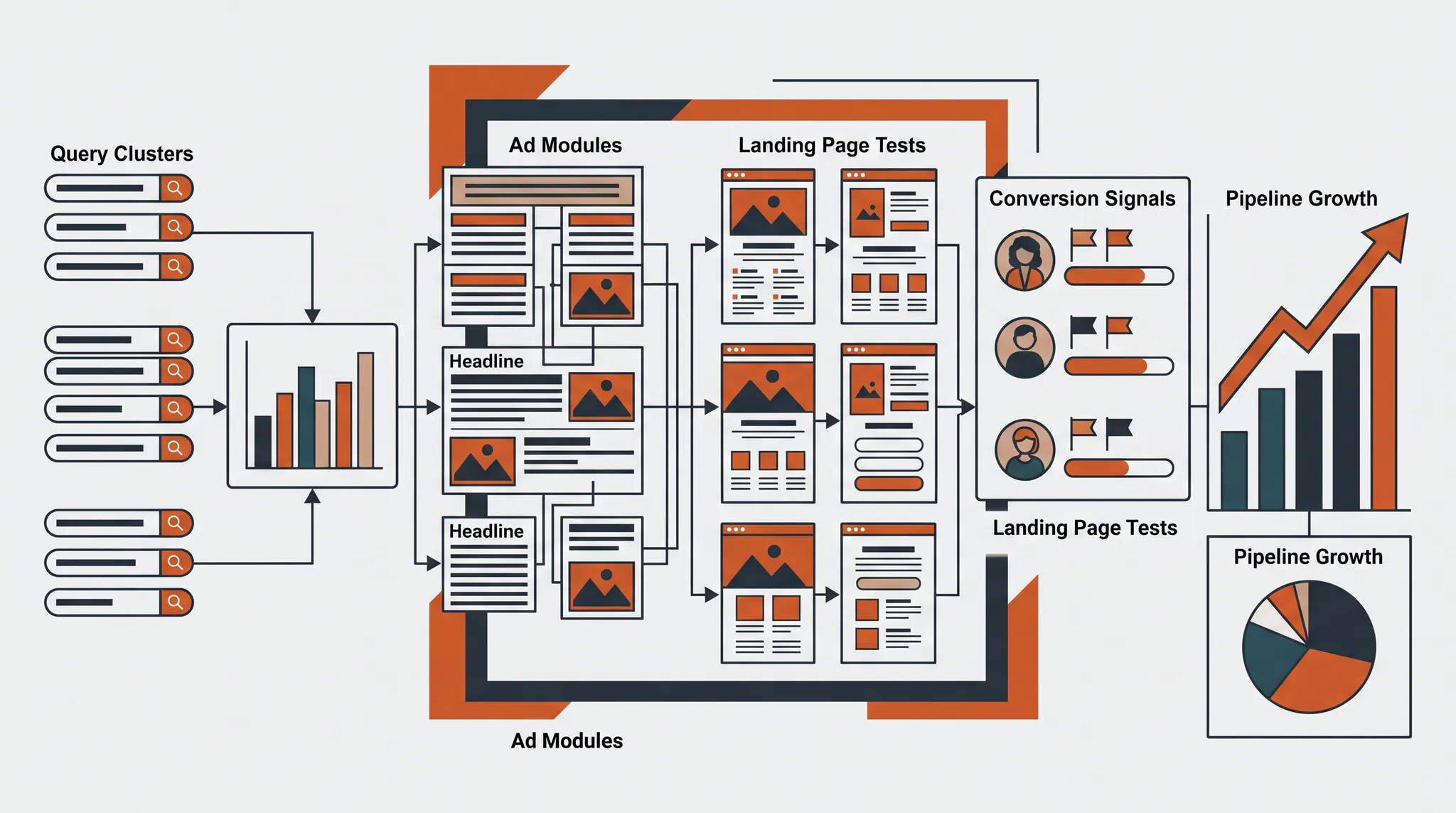
Google Ads for SaaS works when the ad account, landing pages, and revenue data operate as one acquisition system. Capture high-intent demand, report qualified outcomes back from the CRM, test the page behind the click, and scale only after the economics hold. The 12 rules below cover the operating work that keeps that system healthy.
Why Google Ads for SaaS fails after the first wins
SaaS teams often find a few high-intent keywords, launch ads, and see early demos. Then growth stalls. Cost per click rises, the easy query volume gets crowded, and the platform starts finding cheaper form fills that sales does not want. The account looks active while qualified pipeline stays flat. The Google Ads budget and search-demand framework shows how to tell a true budget constraint from a market that cannot absorb more Search spend.
That is not one campaign problem. It is a system problem. Google can only optimize toward the event it receives. The ad can only convert the promise the landing page continues. The budget can only scale inside the demand and economics available to the offer.
The 12 Google Ads for SaaS rules at a glance
| Rule | Operating question | Failure mode |
|---|---|---|
| Test landing pages | Does the page convert the specific query and buyer? | More traffic reaches the same weak page |
| Adjust bids over time | Does the target match current economics? | A stale target chokes volume or overpays |
| Rotate ad copy | Is the message still relevant and useful? | Fatigue and generic claims lower response |
| Diagnose before changing | Is the constraint traffic, engagement, or conversion? | Random changes hide the real cause |
| Plan for seasonality | Is demand temporarily different? | The team treats a calendar effect as a strategy failure |
| Track qualified outcomes | Does Google know which leads become pipeline? | Smart Bidding repeats low-quality conversions |
| Refresh assets | Does the campaign have enough useful creative coverage? | Broader inventory serves weak or improvised assets |
| Monitor competitors | Has auction pressure or positioning changed? | CPC rises while the offer stays static |
| Join ad and business data | Can spend be tied to sales outcomes? | Platform CPA becomes the only decision metric |
| Add negatives often | Which searches should never receive another dollar? | Irrelevant intent compounds into wasted spend |
| Run incrementality tests | Did paid media create demand or claim existing demand? | Branded and retargeting campaigns overstate impact |
| Know when to wait | Has enough conversion time passed? | Good campaigns are reset before data matures |
1. Test SaaS landing pages, not just ads
Landing-page testing is the fastest way to improve Google Ads without buying another click. The page should continue the exact promise made by the query and ad, explain the product in the buyer’s language, show proof, and make the next step obvious.
Google says effective landing pages are central to turning ad traffic into conversions and recommends reviewing relevance, mobile experience, and speed in the landing-page performance report. For SaaS, test message match, use-case proof, pricing or qualification language, form length, and the difference between a demo CTA and a lower-friction product action. The landing page testing system shows how a two-week cadence helped move Gusto’s visit-to-lead conversion rate from 2% to 8%.
Change one strategic idea at a time. “Put customer proof beside the form” is a test. “Redesign the entire page” is not a useful hypothesis because the result cannot explain what worked.
2. Adjust bid strategies as the account matures
Bid strategy should change when the account’s data and economics change. A new campaign with sparse conversions needs room to learn. A mature campaign with stable qualified volume can accept a tighter cost target or value-based goal.
Do not set Target CPA from a wish. Start near recent qualified performance, change the target in controlled increments, and wait through conversion delay before judging it. Our Target CPA operating guide covers the sequence for increasing spend without suddenly removing most eligible traffic.
3. Rotate ad copy around real buyer questions
New ad copy should test a buyer problem, proof point, qualification rule, or offer. It should not exist only to fill more headline slots. SaaS searchers want to know whether the product fits their company size, stack, use case, security needs, or budget.
Google’s responsive search ad documentation explains how headline and description combinations rotate. Use that flexibility, but judge the result on qualified CPA and pipeline. Our analysis of 3,900 ads found no meaningful correlation between Ad Strength and CPA, so do not weaken a precise message merely to turn a score green.
4. Diagnose the constraint before making changes
When performance drops, identify whether the account has a visibility, engagement, or conversion problem. Low impression share needs a different response than strong click-through with weak demo quality.
Use a fixed diagnostic order: verify tracking, review demand and auction coverage, inspect search terms, compare ad relevance, then evaluate the page and sales outcomes. The 3 by 3 Google Ads optimization matrix turns those signals into a specific next action instead of a list of unrelated recommendations.
5. Treat seasonality as a forecast input
SaaS demand changes around budgeting cycles, holidays, fiscal year planning, product launches, and category events. A short-term conversion dip may reflect fewer buyers in market, not a broken campaign.
Compare the same period year over year where possible. Review conversion lag and pipeline stage movement. Use seasonality adjustments only when a known short event will materially change conversion rate, not as a routine fix for weak performance. The goal is to keep the forecast honest and avoid teaching the account to react to noise.
6. Track qualified pipeline and revenue
Conversion tracking is the foundation of SaaS Google Ads. Capture the GCLID, connect the click to the CRM record, and send qualified stages or revenue back to Google. GCLID means Google Click ID, the identifier attached to an eligible ad click.
A demo request is not equal to a sales-accepted lead. If Google only sees the demo, it will find more people willing to complete the form. Our server-side conversion tracking guide explains how to capture click IDs, join sessions, map events, and report them back from the database.
7. Refresh assets with a clear job
Every new asset should answer one question: what does this variation help the account learn? A new proof-led headline can test trust. A use-case page can test intent. A product video can help PMax or Demand Gen explain the workflow on visual inventory.
8. Monitor competitor bidding and positioning
Competitor activity can raise CPC, change impression share, and reset what buyers expect to see. Review auction insights, competitor messages, landing pages, and the offers attached to high-value queries.
Separate competitor campaigns from category demand so budget and messaging can be controlled without distorting non-brand performance. Our competitor Google Ads campaign playbook covers target selection, dedicated comparison pages, full-funnel measurement, and intent filtering.
9. Connect ad data with business data
A SaaS account should be readable from query to revenue. Join spend, clicks, leads, qualified leads, opportunities, customers, contract value, and sales-cycle length. Then calculate cost and conversion rate at each stage.
This exposes the problem a platform dashboard hides. One campaign may have the cheapest lead but the worst opportunity rate. Another may look expensive at the form stage and produce the strongest revenue. Budget should follow the downstream economics, not the easiest event to count.
10. Add negative keywords from evidence
Negative keywords prevent ads from serving on searches that do not fit the product, buyer, or intent. Review the search terms report on a schedule that matches spend and query volume.
Google’s negative keyword guidance warns that negative match types behave differently from positive keywords and that overuse can remove valid demand. Use the smallest safe scope, require human approval, and connect search terms to CRM quality before excluding an ambiguous B2B query. Our AI-assisted negative keyword workflow shows how to prioritize large reports without letting automation publish exclusions.
11. Run incrementality tests on branded and retargeting spend
Incrementality asks what happened because the ad ran, not what the platform claimed after the fact. This matters most for branded search and retargeting because those users may have converted without another paid impression.
Use holdouts, geographic splits, budget step tests, or another controlled design that fits the channel. Watch paid and organic brand clicks together. Compare net customers or revenue, not only platform conversions. A campaign with excellent reported ROAS can still be a poor use of the next dollar if it mostly intercepts existing demand.
12. Know when to step in and when to wait
Good operators do not change the account every time a daily chart moves. They act when the evidence identifies a cause and wait when conversion delay, limited volume, or a recent test makes the result incomplete.
Google’s custom experiments guide recommends controlled traffic splits so campaign changes can be compared over time. Use experiments when the question is important and testable. Keep a change log, avoid stacking unrelated changes, and give the sales cycle enough time to reveal lead quality.
How to run the SaaS Google Ads system yourself
Start with the foundation and earn each layer:
- Define the qualified conversion and revenue events in the CRM.
- Capture ad click identifiers and connect them to those events.
- Separate brand, competitor, and non-brand campaigns by economic intent.
- Group keywords around buyer problems and use cases.
- Match each ad group to a relevant page and offer.
- Review search terms and approve negatives on a fixed cadence.
- Establish a qualified CPA baseline before tightening bidding.
- Launch one meaningful landing-page or message test at a time.
- Compare platform conversions with qualified pipeline weekly.
- Reallocate budget based on marginal customers and revenue.
The takeaway
Google Ads for SaaS is not a keyword project. It is a measurement, message, page, and operating system. The account captures demand, but the CRM tells Google which demand was valuable. The landing page turns the query into a real next step. Testing improves the system without hiding the reason performance changed.
If those parts are disconnected, more budget makes the weakness more expensive. If they are connected, the team can scale the queries, match types, campaigns, and channels that create qualified pipeline.
For larger contracts and longer buying cycles, use the enterprise PPC playbook to add stricter qualification, procurement-ready pages, and CRM-based measurement to this system.
If the internal team cannot run this operating system consistently, use our five standards for choosing a Google Ads agency to compare partners on outcomes, response speed, monitoring, account detail, and ownership.
TNT Growth runs senior-led Google Ads, conversion tracking, and landing-page testing for brands spending $75K+/mo. Review our paid-media and tracking services, see results tied to revenue, or book a 30-minute ad audit to find the constraint in your SaaS acquisition system.
Frequently asked questions
Do Google Ads work for SaaS companies?
Yes, Google Ads can work well for SaaS companies when the account captures high-intent demand and reports qualified pipeline or revenue back to the platform. The main failure is optimizing toward shallow actions such as form fills while ignoring lead quality, sales outcomes, landing-page conversion, and the long sales cycle.
How should a SaaS company structure Google Ads?
Separate brand, competitor, and non-brand demand, then group non-brand campaigns by buyer intent or use case. Keep each ad group focused enough for the ad and landing page to match the query, but avoid splitting campaigns so finely that conversion data becomes too sparse for bidding and testing.
What should SaaS Google Ads optimize for?
Optimize toward the deepest reliable event with enough monthly volume, such as a qualified lead, sales-accepted lead, opportunity, or customer. Keep earlier and later events visible for reporting. When the deepest event is too rare, move one stage up the funnel and continue passing deeper outcomes back from the CRM.
How often should SaaS landing pages be tested?
Run a test whenever traffic volume can support a readable result and the page has a clear hypothesis. A practical operating cadence is one meaningful test every two to four weeks for established programs. Test message match, proof, offer, form friction, and page structure rather than changing several unrelated elements at once.
When should a SaaS company hire a Google Ads agency?
Consider an agency when paid search is strategically important but the internal team cannot consistently manage conversion tracking, search-term review, landing-page tests, bidding, forecasting, and CRM feedback. The agency should report on qualified pipeline and revenue, not only clicks, form fills, or platform CPA.