
Landing page automation gives a Google Ads team a repeatable way to build, update, track, and test campaign pages without waiting on a new design and development cycle for every idea. The useful version does not mass-produce thin pages. It connects ad intent, page message, conversion tracking, experiment design, and human review in one operating loop.
What landing page automation actually automates
Landing page automation handles the repeatable production work around a campaign page. It can turn a structured brief into a page, create controlled variations, keep approved brand components consistent, connect measurement, and record what changed. It should not decide the strategy, invent proof, or publish without review.
The phrase is easy to misunderstand because an AI landing page generator can produce a page in seconds, but speed alone is not the system. A campaign team still has to answer five questions:
- Which search intent or audience is this page for?
- What promise did the ad make?
- What proof can the company support?
- What qualified action should count as success?
- What single hypothesis will the variation test?
If those inputs are vague, automation only produces vague pages faster. If the inputs are precise, it removes the manual handoffs that slow down a sound test.
| Workflow stage | Automation can handle | Human must approve |
|---|---|---|
| Brief | Pull ad group, keyword, offer, and audience context | The actual buyer problem and promise |
| Build | Assemble approved sections and draft page copy | Claims, proof, hierarchy, and brand fit |
| Variant | Change one planned message or page element | The hypothesis and test isolation |
| Tracking | Add standard analytics and conversion events | Event definition, QA, and CRM mapping |
| Reporting | Join traffic, conversions, and campaign cost | Whether the result is meaningful and mature |
Google defines a landing page as the page behind an ad’s final URL and says landing page experience reflects relevance, usefulness, navigation, and whether the page meets the expectation created by the ad. That is why Google’s landing page guidance should sit above any automation rule. Production speed cannot excuse a mismatch between ad and page.
A five-part Google Ads landing page automation workflow
A dependable workflow moves through message, page, tracking, testing, and learning in that order. Changing the sequence creates common failures, especially when a team builds dozens of variations before deciding what it wants to measure.
1. Map each page to a real intent difference
Start with the campaign structure, but do not blindly create one page per ad group. Group keywords and ads by the question the visitor needs answered. A location, use case, product, competitor, or qualification difference may justify a distinct page. A cosmetic keyword variation usually does not.
Suppose a B2B software account has separate ad groups for “enterprise call tracking” and “healthcare call tracking.” The enterprise page may need procurement, security, integrations, and multi-location proof. The healthcare page may need call-quality, intake, privacy, and insurance workflow context. Those are real message differences.
Now compare “call tracking software” and “best call tracking platform.” If both ads make the same promise to the same buyer, two near-identical pages add maintenance without adding relevance. Use automation to create meaningful variants, not a larger URL count.
2. Build from approved brand and proof inputs
The page should inherit the site’s navigation rules, typography, colors, buttons, spacing, and proof standards. A generated page that looks unrelated to the main site introduces doubt at the exact moment the visitor is deciding whether to act.
Give the system approved inputs before it writes:
- The ad and keyword theme
- The target buyer and disqualifiers
- The offer and CTA
- Verified customer proof
- Product or service facts
- Required legal or industry language
- The closest existing page and reusable sections
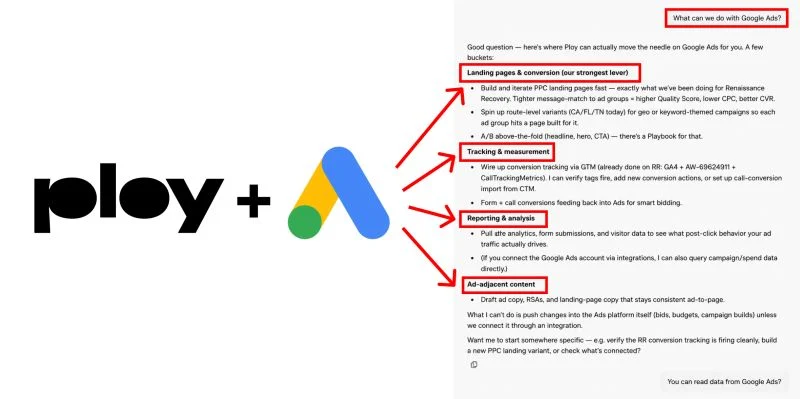
This is where Ploy fits our process. It can build and revise pages inside the existing site instead of treating every campaign as a new template. That matters because the page remains part of the same design system and can link naturally into TNT Growth’s paid-media and tracking services, proof, and next steps.
3. Preserve click and conversion data
A fast page is useless if it breaks attribution. The URL must preserve the Google Click ID, or GCLID, and any approved UTM parameters. The form, call, booking, or purchase event must fire consistently across control and variation. The resulting record should reach the CRM with enough context to identify campaign, page, and qualified outcome.
Google’s documentation on website conversion tracking explains that landing pages and redirects should pass the GCLID. Google also documents how a Google tag or Google Tag Manager setup stores the ad-click information used to associate a later conversion with the click.
For a lead-generation page, do not stop the workflow at form submission. Connect the click to a qualified stage, attended call, opportunity, customer, or another outcome the business trusts. Our server-side conversion tracking guide explains how to preserve click IDs and send downstream events back to Google.
4. Run one controlled Google Ads A/B test
Automation makes it tempting to change the headline, form, proof, layout, CTA, and offer at once. That may produce a different result, but it does not teach the team which idea caused it. Start with one strategic hypothesis.
A good hypothesis sounds like this: “Enterprise buyers hesitate because the page does not explain CRM integration. Adding a verified integration section beside the form will increase qualified demo requests without lowering opportunity rate.”
The control keeps the current page. The variation adds the integration proof. Both versions use the same event definitions and attribution. Google says custom experiments can split campaign traffic and budget to compare changes over time. Its experiments guidance also lists landing pages among the settings that Search and Display custom experiments can test.
Judge the test on a qualified outcome and a guardrail. The primary metric might be cost per qualified demo. The guardrail might be opportunity rate. A variation that creates more forms and fewer qualified opportunities did not win.
5. Feed the learning back into ads and future pages
The result should update more than one URL. If a proof point improves qualified conversion, test that proof in ad copy. If a use-case page attracts the best opportunities, increase coverage for the matching queries. If a message raises clicks but hurts sales quality, add that lesson to the page brief so the system does not repeat it.
Keep a simple learning record:
- Hypothesis
- Control and variation URLs
- Start and end dates
- Traffic allocation
- Primary metric and guardrail
- Conversion delay considered
- Result
- Decision
- Reusable learning
Our landing page testing system covers the evidence side of this loop. The automation layer handles production and consistency so the team can spend more time choosing better hypotheses.
When dynamic landing pages help and when they hurt
Dynamic landing pages help when the variation makes the page more relevant without changing the underlying truth. They hurt when token replacement creates awkward copy, unsupported claims, or dozens of pages with no meaningful distinction.
Useful applications include:
- Showing the correct city, service area, or location details
- Matching an approved use-case headline to the ad group
- Routing industries to relevant proof
- Presenting the right form or qualification question
- Keeping campaign-specific UTM and GCLID data attached
Avoid automation when the source data is unreliable, the offer changes by contract, legal language requires exact review, traffic is too low to support a test, or the page would make a claim the company cannot prove. Also avoid creating a new page when the existing one already answers the query well. More pages are not automatically better pages.
Common landing page automation mistakes
The first mistake is using page count as the success metric. Fifty variations mean nothing if they repeat the same generic message.
The second is generating copy without verified proof. AI can write a polished claim that no customer record supports. Every number, logo, result, integration, and comparison needs a source.
The third is testing before tracking is stable. If the control sends form fills and the variation sends qualified leads, the comparison is broken.
The fourth is ignoring mobile and final-URL QA. Check the page from the actual ad URL, not only the editor. Confirm redirects preserve parameters, forms submit, calls connect, and the page loads cleanly.
The fifth is automating writes into ad accounts without approval. Our process keeps human review between analysis and any risky change. The system can draft, surface, and prepare. The operator decides what goes live.
How to start without overbuilding the system
Begin with one campaign where message mismatch is obvious and conversion volume is high enough to learn. Choose two or three ad groups with materially different intent. Build one approved page pattern, adapt it to each intent, verify conversion tracking, and run one controlled test.
Then review the entire path:
- Did the page answer the ad’s promise?
- Did the GCLID and campaign context reach the CRM?
- Did both versions report the same qualified event?
- Did the test run through the normal conversion delay?
- Did sales quality hold or improve?
- What should change in the ads, page system, or next brief?
TNT moved from slow, expensive page production to a much faster operating cadence with Ploy. The fuller story is in our guide to shipping landing pages from a prompt. The important lesson is not that AI can make a page. It is that a connected workflow lets a paid-media team test a precise message without losing brand control or measurement quality.
The takeaway
Landing page automation is useful when it connects campaign intent, brand-approved page production, conversion tracking, controlled experiments, and a learning record. It fails when it becomes a page factory.
Start with one real buyer difference, one qualified outcome, and one hypothesis. Automate the repeatable work. Keep proof, strategy, tracking definitions, and publishing decisions under human review. That is how faster production becomes better Google Ads performance instead of more campaign clutter.
If your ads are moving faster than your landing pages, review TNT Growth’s results tied to revenue or book a 30-minute ad audit. We will show you whether the constraint is the campaign, the page, the tracking, or the handoff between them.
Frequently asked questions
What is landing page automation?
Landing page automation is a workflow for creating, updating, tracking, and testing campaign pages from structured inputs such as ad groups, keyword themes, locations, offers, and conversion goals. The software handles repeatable production work, while a marketer approves the message, design, tracking, and test plan.
Can AI build landing pages for Google Ads?
Yes. AI can draft page structure and copy, create variants by ad group or keyword theme, and help connect analytics. A marketer still needs to verify factual claims, brand accuracy, destination policies, mobile behavior, conversion tracking, and whether each variation answers the intent behind the ad.
How do you A/B test landing pages in Google Ads?
Define one hypothesis and one primary qualified outcome, build a control and variation, verify identical tracking, then split traffic through a controlled experiment. Google Ads custom experiments can compare landing pages for Search and Display campaigns. Run the test through enough conversion delay to judge downstream quality.
Does every Google Ads ad group need a separate landing page?
No. Create a separate page when an ad group represents a materially different buyer problem, use case, location, offer, or qualification rule. If two ad groups need the same promise and proof, one strong page may be better than two thin variations. Page count should follow message differences, not account structure alone.
What should landing page automation never change automatically?
Do not let automation publish unsupported claims, alter legal language, change the conversion definition, remove required disclosures, or push unreviewed tracking changes. Those decisions affect trust, compliance, and the data Google uses for bidding. Keep a human approval gate before each page or experiment goes live.