
An Obsidian second brain works best as a reviewed knowledge system, not a bigger notes folder. Capture everything in a raw layer, move useful sources into reference, keep meetings separate, and promote only approved ideas into a linked wiki. GitHub then gives the team version history and a pull request gate before shared knowledge changes.
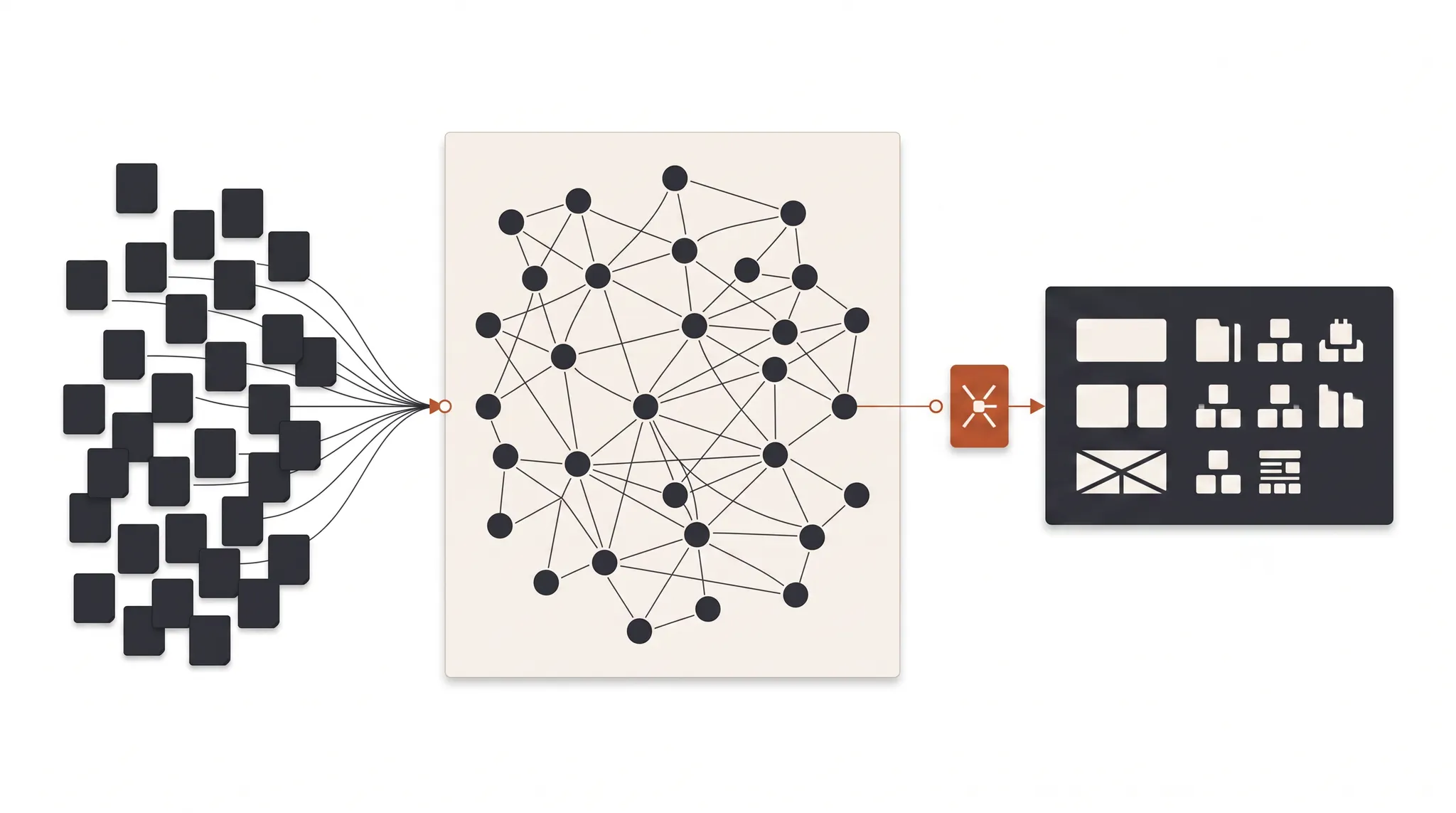
I started this build while moving roughly 3,500 items out of Notion and Google Drive. The problem was not a lack of information. It was that useful context lived in too many formats, folders, and personal systems. Finding an old idea required remembering where it came from before I could even search for it.
The new setup uses Obsidian for local Markdown notes, GitHub for shared version history and review, and Claude Code for triage and proposed organization. The important part is not the tool stack. It is the flow from untrusted capture to reviewed company knowledge.
What is an Obsidian second brain?
An Obsidian second brain is a linked collection of plain-text notes that helps you store and retrieve knowledge outside your memory. Obsidian calls its internal links a way to create a network of knowledge. Because the notes are Markdown files, they can also be searched, versioned, and reviewed by other tools without locking the content inside one database.
That flexibility creates a risk: a vault can become another dumping ground. A second brain is useful only when it distinguishes between material you collected, material you reviewed, and knowledge the company is prepared to rely on.
The setup below uses four layers:
| Layer | What belongs there | Trust level | Next decision |
|---|---|---|---|
| Raw | Articles, posts, videos, rough captures, files | Unreviewed | Keep, discard, or classify |
| Reference | Sources worth retaining and citing | Reviewed source | Link to a concept or project |
| Meetings | Calls, daily notes, decisions, follow-ups | Operational record | Assign owner or update wiki |
| Wiki | Approved pages on people, systems, concepts, and ventures | Trusted working context | Maintain through reviewed changes |
The separation matters more than the folder names. If raw clips and approved procedures appear as equals in search, a teammate or AI workflow can pull a confident but unverified statement into real work.
How to structure an Obsidian second brain
A practical Obsidian second brain should make the next action obvious for every item. New material lands in raw. Valuable sources move to reference. Time-bound records stay in meetings. Reusable knowledge is rewritten into the wiki only after review.
1. Raw is an inbox, not an archive
Raw should accept material quickly. Articles, social posts, videos, screenshots, voice-note transcripts, and random ideas can all land there before anyone decides what they mean.
Keep capture lightweight, but set a review cadence so raw does not become a permanent inbox. Every item should eventually be promoted, archived, or deleted.
2. Reference keeps sources you may need again
Reference contains material that survived review but is not yet company doctrine. It can include a useful study, a customer quote, a technical document, a campaign example, or an article with a strong framework.
Preserve the original source and date. A summary can miss a caveat or flatten an opinion into a fact. Reference material should remain attributable so anyone using it in public copy, client work, or a decision can check the evidence.
Obsidian properties can store structured data such as links, dates, checkboxes, and numbers in YAML at the top of a note. That makes source, owner, review status, and last-reviewed date readable by both people and software. See Obsidian’s official guidance on note properties.
3. Meetings preserve decisions and commitments
Meeting notes should capture what changed, who owns the next step, and when it is due. They are not automatically wiki pages. Most calls are operational records with a short useful life.
A meeting should update the wiki only when it produces reusable knowledge, such as a revised conversion definition, a confirmed customer objection, a new operating rule, or a tested campaign pattern. Link the resulting wiki update back to the meeting so the reasoning remains traceable.
This is the same discipline behind our broader AI marketing workflow: context needs a durable source, an owner, and a record of what changed.
4. The wiki contains approved working knowledge
The wiki is the processed output. Pages can cover people, clients, concepts, ventures, campaign systems, terminology, and repeated decisions. A useful page becomes denser as new evidence is reviewed and merged into it.
Obsidian internal links connect related notes and can update automatically when a file is renamed. The official internal links documentation describes how these links form a knowledge network.
Do not create a new wiki page for every new source. Merge evidence into the best existing concept when one exists. Duplicate pages fragment search results and make it unclear which version is current.
How Claude Code fits into the Obsidian workflow
Claude Code is useful for reading raw material at scale, asking classification questions, suggesting links, finding duplicates, and drafting proposed wiki updates. It should reduce the review queue, not decide what the company believes.
A safe workflow looks like this:
- Claude reads only the folders required for the task.
- It proposes a keep, archive, merge, or discard decision.
- It names the source passages behind the decision.
- It suggests the existing wiki page that should receive the material.
- It writes a proposed change outside the trusted wiki or on a review branch.
- A person inspects the change before it becomes shared context.
The common mistake is giving the tool permission to rewrite everything. A plausible rewrite can delete nuance, merge two different concepts, or convert a source’s opinion into an internal rule. Keep the first workflow read-only or proposal-only.
Our guide to team-owned AI marketing skills uses the same model: the operator closest to the work defines the rules and edge cases, while a reviewer protects the shared standard.
Why GitHub belongs in a company knowledge base
GitHub turns the vault from one person’s notebook into a reviewable team system. Every accepted change has a diff, author, timestamp, and history. Teammates can propose additions without receiving permission to rewrite the trusted source directly.
The team flow is straightforward:
- A teammate adds or edits Markdown notes in their working copy.
- They open a pull request with the proposed change.
- A reviewer checks the source, placement, wording, and any conflicting notes.
- The reviewer approves, requests changes, or rejects the update.
- The accepted change merges into the company vault.
GitHub’s documentation explains that pull request reviews let collaborators inspect commits, changed files, and diffs, then approve or request updates before merging. That review gate is exactly what a shared knowledge base needs. See reviewing proposed changes in a pull request.
A worked example from raw capture to company wiki
Suppose a growth manager saves an article about sending deeper Google Ads conversion events. It lands in raw with the source URL and date.
Claude reviews it and finds the vault already has a wiki page on choosing a Google Ads conversion action. Instead of proposing a new page, it identifies one useful caveat in the source and drafts an addition to the existing note. The growth manager checks that caveat against the original article and current account experience.
The manager then opens a pull request. The reviewer can see the exact sentence being added, the source, and the page it changes. If approved, the note becomes stronger without creating a duplicate.
The wrong version creates another “conversion tracking ideas” page, loses the citation, and leaves both notes competing in search. Our AI second brain for newsletters uses the same raw, review, and approved pattern for inbox content.
Common Obsidian second brain mistakes
Copying everything into the wiki
The wiki should contain approved concepts, not every captured source. Keep raw and reference material outside the trusted layer so search results retain a clear trust signal.
Building too many folders
Deep folder trees make people guess where a note belongs. Use a few functional layers and rely on properties and links for relationships. Add a folder only when it represents a different workflow or trust level.
Letting AI rewrite trusted notes silently
AI can propose a merge, but the diff should be visible. Require source links and human approval for changes that affect operating procedures, client claims, campaign rules, or public content.
Saving summaries without sources
A generated summary is a navigation aid, not evidence. Keep the original URL, author, date, and relevant passage so claims can be checked later.
Ignoring maintenance
Knowledge expires. Add owners and review dates to pages tied to fast-changing platforms, pricing, regulations, or product behavior. Archive old rules rather than leaving contradictory guidance in active search results.
How to build your Obsidian second brain this week
Start with one small collection and prove the review flow before moving thousands of files.
- Create raw, reference, meetings, and wiki folders.
- Pick 50 representative items from your current tools.
- Add source, date, owner, and status properties.
- Define promote, merge, archive, and delete criteria.
- Ask Claude to classify the batch and cite its reasoning.
- Review every proposed decision manually.
- Link approved concepts to existing wiki pages before creating new ones.
- Sync the vault to a private GitHub repository.
- Require a pull request for team wiki changes.
- Test retrieval with five questions the team asks in real work.
- Record duplicates, bad classifications, and missing context.
- Expand only when the small system returns trustworthy answers.
The takeaway
An Obsidian second brain becomes useful when it has a trust model. Capture freely in raw, preserve good sources in reference, keep meetings as operational records, and promote only reviewed knowledge into the wiki. Use Claude Code to reduce repetitive triage. Use GitHub to make every shared change visible and reversible.
The system should make knowledge easier to find without making unverified material easier to trust.
TNT Growth builds paid-media, measurement, and AI operating systems for brands spending $75K+/mo. Review our growth and tracking services, see results tied to revenue, or book a 30-minute ad audit to identify the operating system your team needs next.
Frequently asked questions
What is an Obsidian second brain?
An Obsidian second brain is a network of Markdown notes used to capture, connect, and retrieve knowledge outside your memory. A useful setup separates raw inputs from reviewed reference material and trusted wiki pages, so search results do not mix unverified captures with approved operating knowledge.
How do you use Claude Code with Obsidian?
Point Claude Code at a clearly scoped Obsidian vault, define which folders it may read or propose changes to, and ask it to classify raw notes, suggest links, identify duplicates, or draft wiki entries. Keep important changes in a review queue and inspect the diff before accepting them.
Why sync an Obsidian vault with GitHub?
GitHub adds version history, visible diffs, collaboration, and pull request review to a folder of Markdown files. That makes it possible for teammates to propose updates while a named reviewer checks the evidence, wording, and destination before new knowledge enters the shared wiki.
What folders should an Obsidian second brain use?
Start with four functional layers: raw captures, reviewed reference material, meetings and daily notes, and a trusted wiki. The exact folder names matter less than the trust boundary. Everyone should know which material is unreviewed, which is retained as a source, and which is approved company knowledge.
Should AI organize an Obsidian vault automatically?
AI can classify, suggest links, flag duplicates, and draft proposed notes, but it should not silently rewrite the trusted wiki. Use clear permissions, source links, a review queue, and version history. Automation is useful for volume. A person should still decide what the company treats as true.